
Is Your CMS Holding Your Website Back?
In the rapidly evolving digital landscape of today, having a high‑performing website is essential for businesses to remain competitive. A Content Management System serves as the backbone for every business website, e‑commerce store, and blog. A CMS by itself, though, is insufficient. To optimize efficiency, ensure security, and enhance the user experience, it is essential to use Content Management System (CMS) Support services. This is the difference between a website that gradually ebbs away and one that grows in value over time.
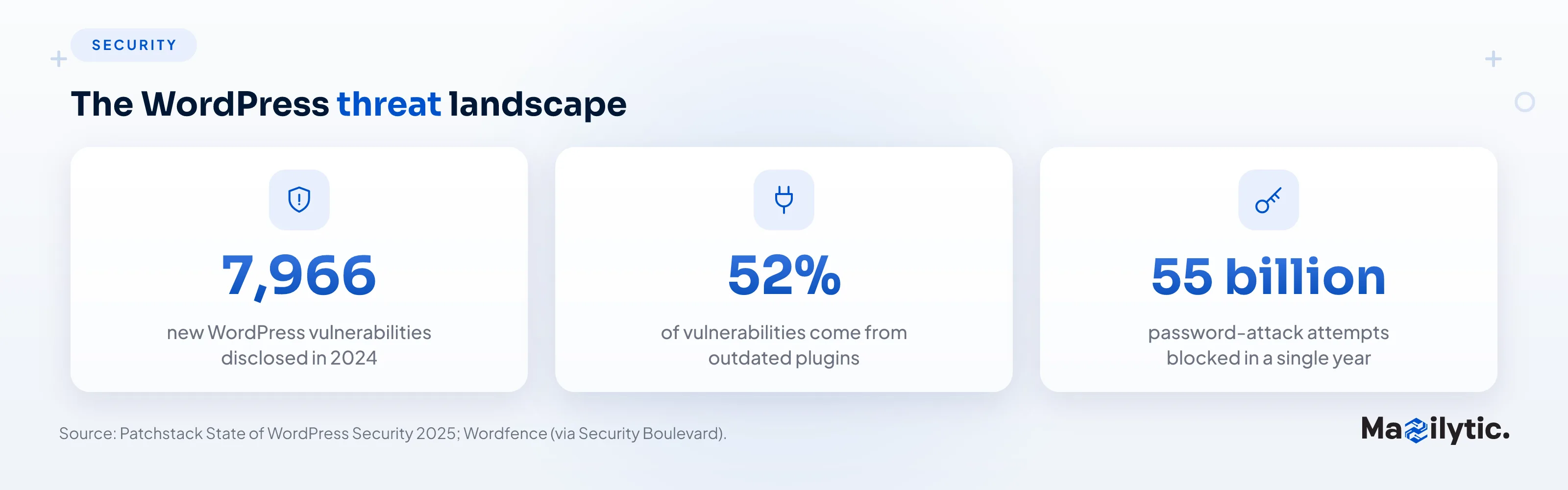
The data backs this up bluntly. Patchstack's 2025 State of WordPress Security report revealed that the WordPress ecosystem faced 7,966 new security vulnerabilities in 2024 alone, with vulnerabilities in WordPress core, plugins, and themes accounting for almost half of all WordPress malware infections.
Security experts have separately found that 52% of WordPress vulnerabilities are caused by site owners failing to update outdated plugins. That is the majority of breaches, traced back to a missing update. This guide covers what CMS Support means in practice, why it is non‑negotiable for any serious business, and how to evaluate whether your current setup is protecting your investment or quietly eroding it.
What Is CMS Support?
Content Management System support is ongoing technical help combined with continuous maintenance to keep your system running without glitches. CMS Maintenance Services cover performance enhancements, plugin and theme management, security monitoring, issue resolution, and backup maintenance.
CMS Support improves both the reliability and the operational performance of websites built on WordPress, Joomla, Drupal, Magento, and other systems. Given that WordPress alone powers a substantial share of the entire internet, this need is not niche; it is foundational to how most of the web stays online.
Why CMS Support Is Crucial for Your Website
The effectiveness of a CMS depends entirely on the level of support it receives. Your website grows at risk when you skip regular maintenance, which can lead to serious security threats and performance issues.
Performance Optimization (Website Performance Optimization)
Search engine rankings depend strongly on web performance, and good user satisfaction demands fast, stable pages. CMS support starts with watching how pages load while engineers handle database optimization and strategies that reduce downtime.
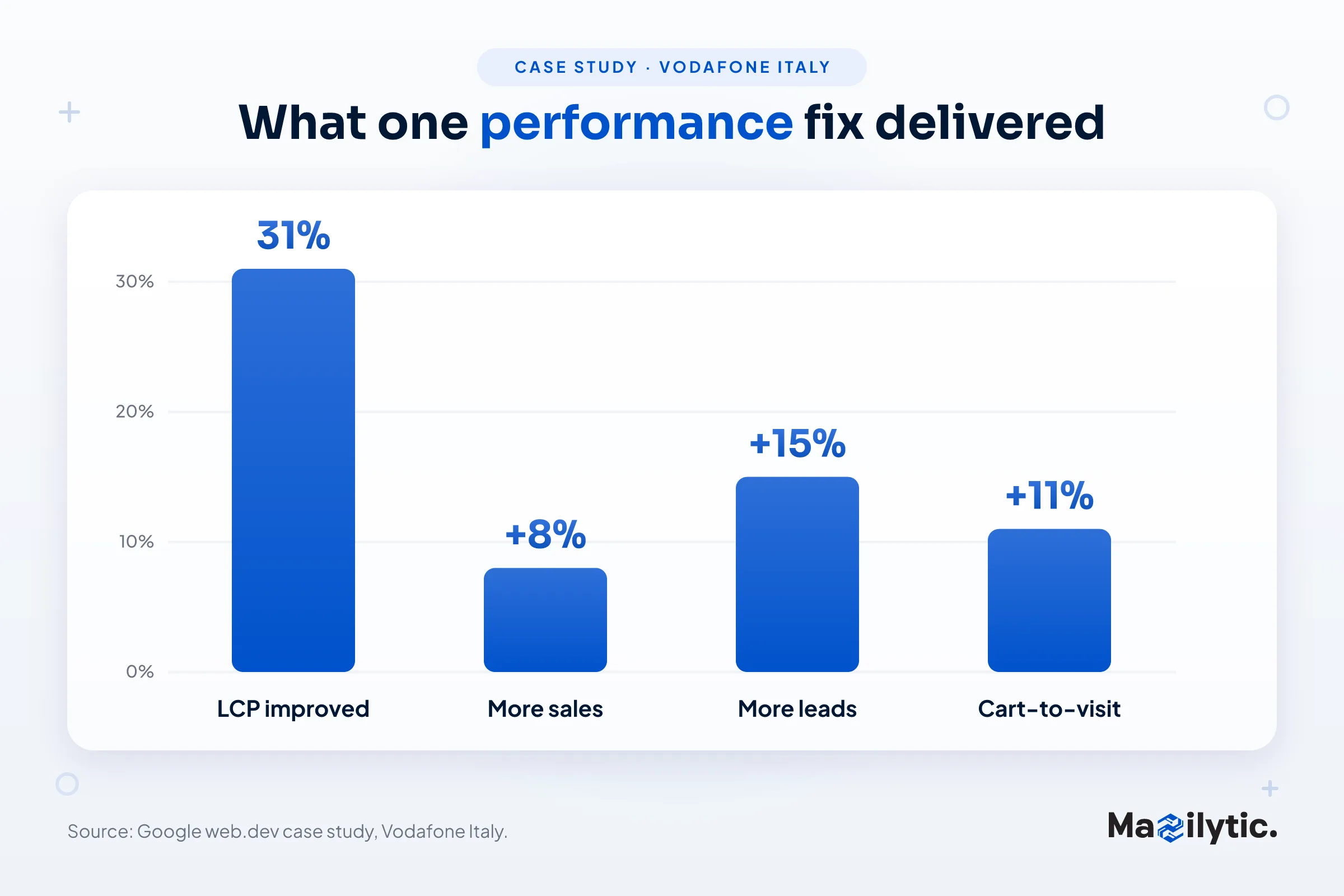
The financial case is documented directly by Google. In one of Google's own web.dev case studies, Vodafone Italy improved its Largest Contentful Paint score by 31% and saw an 8% increase in sales, 15% more leads, and an 11% improvement in its cart‑to‑visit rate. Website performance optimization through ongoing CMS support is not just about aesthetics; it is revenue infrastructure.
Enhanced Security (Website Security Management)
Cybercriminals focus on websites where plugins, themes, and CMS cores are outdated. When your CMS receives regular maintenance, you get timely updates and security patches, which lowers your exposure to attackers.
One of the most popular plugins, Post SMTP, used on more than 400,000 active WordPress sites, was found to have a critical vulnerability in 2025 that let unauthenticated attackers compromise admin credentials. Days later, over 200,000 sites were still vulnerable because they had not been updated.
Wordfence separately recorded 55 billion blocked password‑attack attempts in a single year. Website security management through structured CMS support is what closes that exposure window before attackers find it.
Plugin and Theme Management
Running plugins alongside outside tools gets complex due to unpredictable compatibility problems. Patchstack's research found that about 35% of all WordPress vulnerabilities disclosed in 2024 remained unpatched into 2025, leaving removal as the only safe option for owners who were not monitoring closely. Proper plugin and theme management catches this before it becomes an open door.
Scalability and Disaster Recovery
As a website develops, it gains more advanced features. Professional CMS support gives you better control of scale and maintains complex backend operations so you can focus on the business itself.
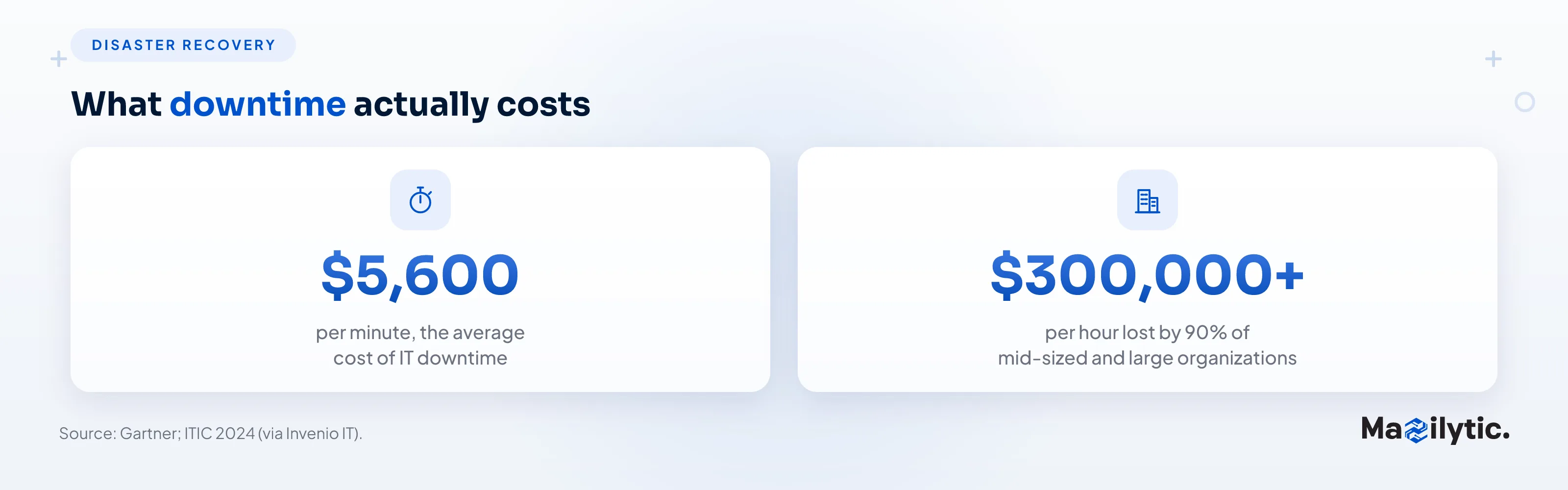
Backup strategy is equally critical. Gartner's research places the average cost of IT downtime at $5,600 per minute across industries, while ITIC's 2024 report found that 90% of mid‑sized and large organizations lose upward of $300,000 per hour during an outage.
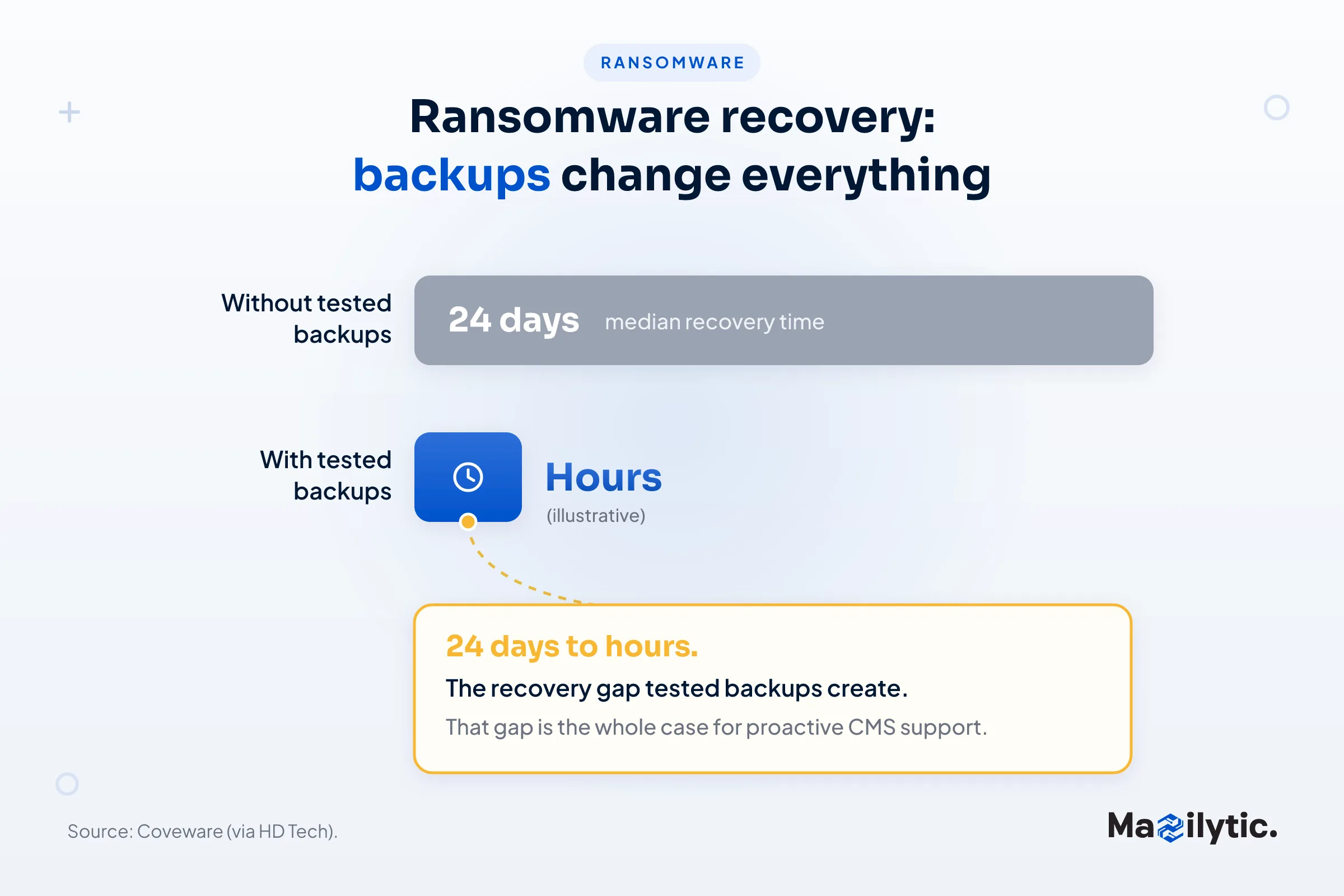
Ransomware deserves its own callout: Coveware's research shows the median recovery time from a ransomware attack is 24 days without proper protection, but organizations with tested backup plans can cut that to hours. That gap is the entire argument for proactive CMS support in one statistic.
Key Components of Effective CMS Support
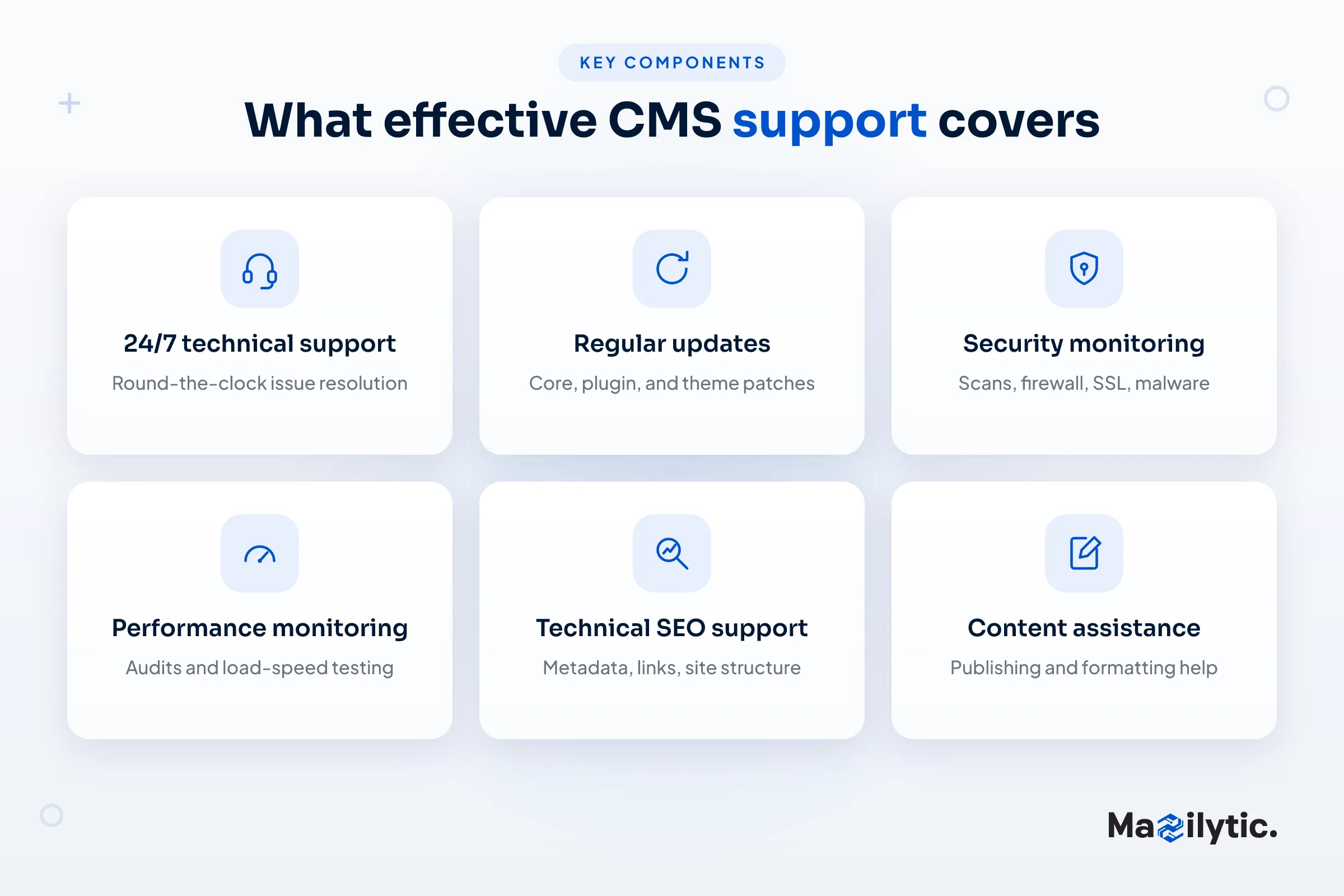
24/7 Technical Support: round‑the‑clock support reduces business interruption, because downtime costs accrue by the minute. Response speed is not a luxury feature.
Regular Updates: keeping your CMS core, themes, and plugins up to date prevents security issues. Updates should be tested in a staging environment before going live.
Security Monitoring: security scans, firewall configuration, SSL handling, and malware detection protect your website from the threats above, which only keep growing.
Performance Monitoring: performance audits and load‑speed testing prevent high bounce rates and low conversions.
Technical SEO Support: incorporating SEO plugins, optimizing metadata, fixing broken links, and improving site architecture so pages are indexed properly.
Content Assistance: some teams also help publish, manage images, and format pages for consistency across devices.
Benefits of Outsourcing CMS Support
Effective CMS management calls for constant monitoring and security control, not just occasional plugin upgrades. Outsourcing can be transformative for companies without dedicated technical staff. Expertise is the biggest benefit: CMS specialists know systems and languages deeply and resolve hard problems fast. Time efficiency follows, freeing internal staff to focus on content, marketing, and clients instead of fixing the website reactively. As your website scales, scalable outsourced maintenance lets your plan grow with traffic without hiring and training. The most underappreciated benefit is peace of mind: knowing experts watch and guard your CMS lowers downtime and overall risk.
Choosing the Right CMS Support Provider
Platform Experience: choose providers who specifically work with your CMS. A WordPress team often lacks the experience to support Magento or Drupal properly.
Service Scope: verify coverage across security, performance, technical SEO, backups, and technical assistance. The more comprehensive the package, the better the experience tends to be.
Customization Options: avoid one‑size‑fits‑all. A quality provider adapts to your business targets rather than forcing every client into the same template.
Client Testimonials: look for case studies and real references that show successful outcomes.
Transparent Pricing: clear pricing with no hidden fees signals a trustworthy provider; vague service descriptions signal the opposite.
CMS Support Best Practices
Plan frequent audits: monthly or quarterly checks catch problems early. Maintain a staging site: test updates before deploying to production. Educate your staff: make sure your content team understands fundamental CMS features. Track analytics: use performance data to guide future support, rather than guessing. Keep up with industry developments: CMS systems change quickly, and staying current keeps your support aligned with modern requirements.
Future Trends in CMS Support
AI‑powered support is bringing predictive analytics and automated diagnostics that catch issues before a human notices. Headless CMS architecture is creating demand for specialized frontend and backend skills. Accessibility compliance is increasingly built in, for legal reasons and to serve more users. Eco‑friendly hosting is becoming a factor in CMS performance decisions alongside speed and cost.
Final Thoughts
Your website is a dynamic tool that reflects your brand around the clock. Even beautifully designed sites can run poorly, go down, or be attacked without regular CMS support. The numbers in this guide, from the 52% of vulnerabilities tied to outdated plugins, to the $5,600‑per‑minute cost of downtime, to Vodafone's 8% sales increase from one performance fix, are not scare tactics. They are the documented cost of treating CMS support as optional. Strong CMS Support keeps your website competitive, safe, and growth‑ready, whether you run a small business or a major corporation. Don't wait for problems to surface; make CMS support a proactive part of your digital strategy.
Frequently Asked Questions
Q1: What exactly does CMS Support include?
Usually core, plugin, and theme updates, security monitoring, performance checks, backup management and disaster recovery, and technical SEO such as metadata corrections and fixing broken links.
Q2: How often should CMS maintenance be performed?
Critical security patches should be installed and tested as soon as they are released. Larger performance, plugin‑compatibility, and SEO‑health audits are usually done monthly or quarterly.
Q3: What happens if I skip regular CMS updates?
Risk compounds quickly. Nearly half of all WordPress malware infections trace back to core, plugin, and theme vulnerabilities, with a large share tied to unpatched old plugins.
Q4: Is outsourced CMS support worth it for a small business?
Generally yes. It gives small businesses specialist expertise and security without the cost of a dedicated employee, and it scales with the business.
Q5: What does CMS support mean for SEO?
Site speed and Core Web Vitals are confirmed Google ranking factors, and ongoing CMS support maintains both, alongside the metadata and structural fixes that compound organic visibility over time.